Template Editor Is Now Live!
🎉 The Custom Template Editor is Now Live!
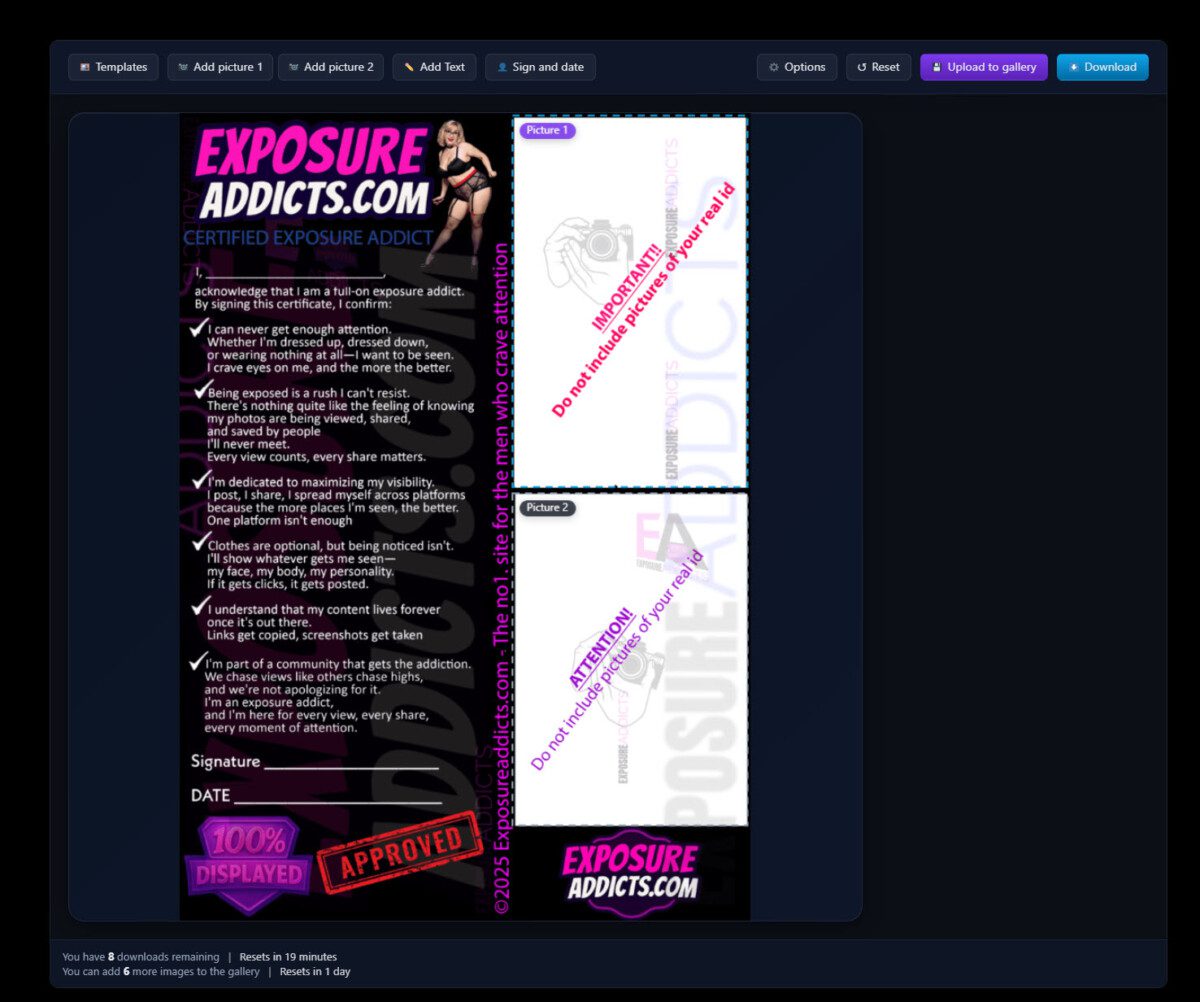
I’m excited to announce that our new custom template editor is officially available for everyone! This tool makes personalizing templates with your own images easier than ever.
How It Works:
Drop your picture into the editor, and it’ll automatically snap into the selected zone. From there, you can resize and reposition it to showcase exactly what you want. Need to add your signature and date? Just click the auto-fill button, and we’ll pull your name from your profile and add today’s date instantly. Prefer a different alias? No problem—you can always fill it in manually.
Two Output Options:
- Upload to Gallery – Your creation goes straight to the public gallery alongside other community templates. Show off your work!
- Download – Save it directly to your device for private use. No public sharing, no restrictions.
Important: Community Guidelines
Because gallery uploads are publicly viewable, all content must follow our compliance rules. Uploading images or text containing slurs, degrading language, or explicit sexual content will result in an immediate 1-month ban—no warnings.
If you choose to download instead, you’re free to create whatever you’d like for personal use—just don’t re-upload it to the site.
Let’s keep our community creative, respectful, and fun for everyone! 🚀
How to Access the Custom Template Editor
Getting started is simple! You have two easy ways to access the editor:
Option 1: Direct Link Jump straight to the editor here: https://exposureaddicts.com/template-editor/
Option 2: Through Your Dashboard
- Go to your Profile
- Click on Dashboard
- Select Add Post
- Choose the custom template editor from the list of post types
Limits:
- Non-Verified Users – You’ll need to verify your account before you can download or upload to the gallery.
- Free Verified Users – Full access to the editor with standard download limits.
- Paid Members – Full access with unlimited downloads
Ready to get creative? Head over to the editor and start customizing your templates today! 🎨